MTPOS vs Lightspeed Retail POS
Compare two established retail POS platforms across checkout, inventory, payments, devices, multi-location management and the operational requirements that matter to your business.
This comparison focuses on Lightspeed Retail X-Series. Product availability, pricing and payment options can change by plan, country and deployment.
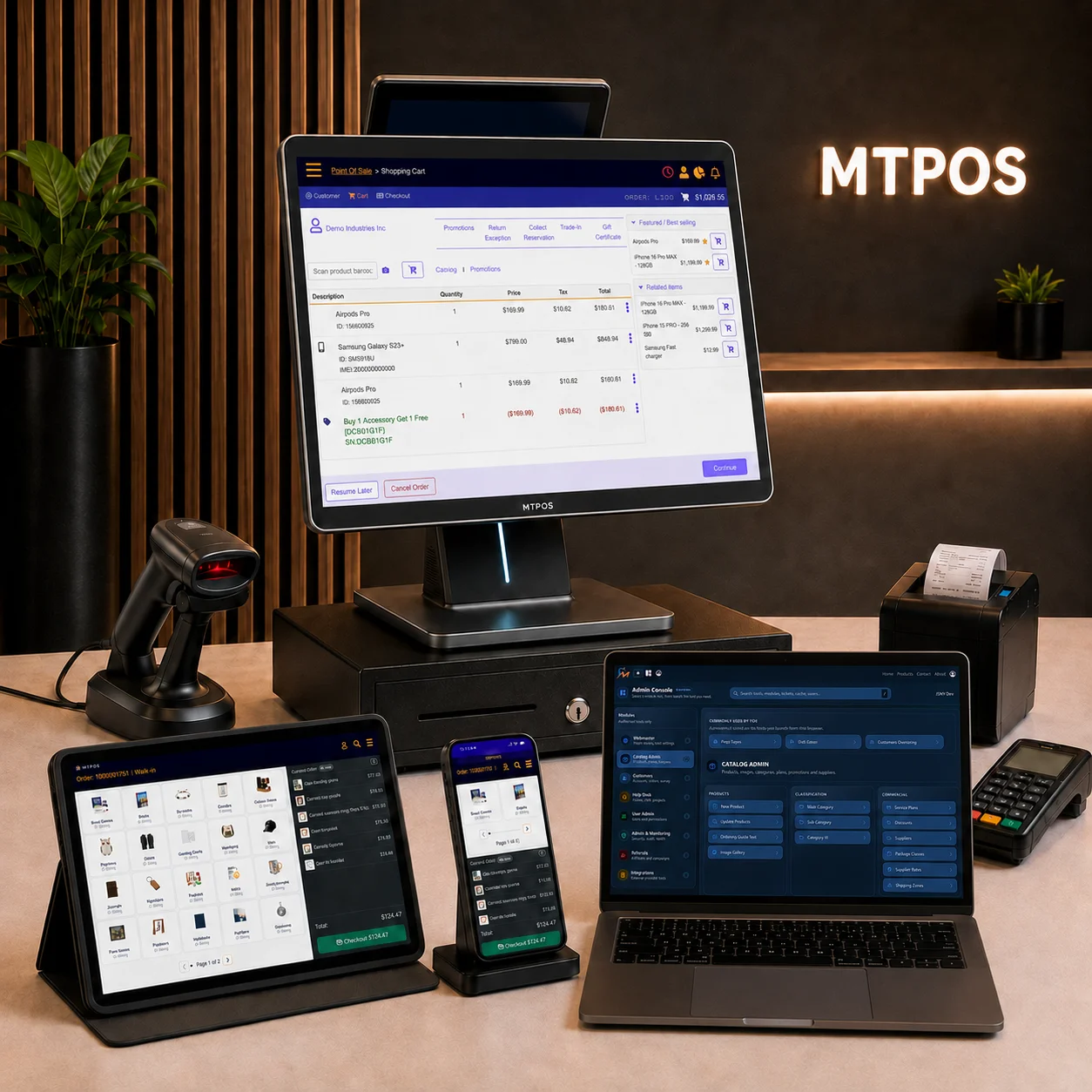
Both Platforms Cover Much More Than Checkout
MTPOS and Lightspeed Retail both provide substantial retail management capabilities. The useful comparison is therefore not simply which product has more features, but which architecture, workflows and commercial model fit your operation.
Checkout
Both platforms support retail selling, returns, discounts, customer transactions and payment workflows.
Inventory
Both provide stock management, purchasing, inventory movement and multi-location capabilities.
Customers & Staff
Both include customer information, user controls, reporting and tools for managing retail teams.
Multiple Locations
Both can support retailers operating more than one store with centralized management requirements.
Key Areas to Compare
Several capabilities overlap. Other differences become important depending on your hardware strategy, currencies, payments and preferred way of managing the business.
| Evaluation Area | MTPOS | Lightspeed Retail |
|---|---|---|
| Retail Point of Sale | Supported | Supported |
| Multi-Location Operations | Supported | Supported |
| Serialized Inventory | Serial and non-serial inventory supported | Serial-number inventory supported |
| Inventory Transfers & Purchasing | Supported | Supported |
| Device Strategy | Windows, Android, iPhone/iPad and browser-based environments are supported across MTPOS operations. | Retail POS supports desktop/web and iPad workflows, with mobile Scanner tools available for iOS and Android. |
| Multiple Cash Currencies | Multiple cash currencies can be configured within the store. | Retail X-Series uses one default selling currency per Retail POS account. |
| Card Payment Options | Integrated supported terminals and standalone terminal workflows are available. | Integrated and non-integrated payment options are available, with provider support varying by region. |
| Pricing Structure | Pricing varies by business type, edition and required capabilities. | Tiered Retail plans with additional configuration depending on locations, registers and services. |
Always confirm current plan availability, pricing, payment-provider support and regional limitations before making a final decision.
Consider Where and How Employees Need to Work
Device flexibility becomes increasingly important when different employees perform checkout, inventory, receiving, management and mobile tasks in different parts of the business.
MTPOS is designed to support a broad mix of Windows, Android, iPhone, iPad and browser-based access rather than requiring every operational role to use the same device type.
Fixed Checkout
Use an appropriate workstation with the peripherals required at a permanent counter.
Mobile Selling
Evaluate how each platform supports transactions away from a fixed register.
Inventory Work
Consider mobile counts, receiving, transfers and inventory lookup.
Management Access
Review how owners and managers access reports, approvals and store information remotely.
Currency Requirements Can Be a Meaningful Difference
MTPOS can configure multiple cash currencies within the same store. This can matter for retailers serving international customers, border markets or other environments where more than one cash currency is accepted at the point of sale.
Lightspeed Retail X-Series currently uses one default selling currency across the outlets within a Retail POS account. Businesses requiring different selling currencies should therefore examine the account structure carefully.
Compare the Payment Setup, Not Just the Terminal
Both products can work with integrated and non-integrated payment arrangements. The better choice depends on the processor, merchant account, hardware and country you intend to use.
MTPOS Payment Configuration
MTPOS supports integrated card-terminal workflows as well as standalone terminals where the completed payment is recorded in the POS.
Review MTPOS Payment OptionsLightspeed Payment Configuration
Lightspeed Retail supports Lightspeed Payments, regional third-party integrated gateways and non-integrated external payment terminals. Availability depends on country and configuration.
Do Not Choose Between Them on Inventory Headlines Alone
Both MTPOS and Lightspeed Retail now offer substantial inventory capabilities, including multi-location stock management and serial-number tracking.
Instead, test the workflows your staff actually performs: receiving, transfers, stock counts, replenishment, returns and item-level tracking.
Explore MTPOS InventoryInventory Questions Worth Testing
- How are purchase orders created, received and reviewed?
- How easily can stock move between stores or warehouses?
- Can employees count and audit inventory from mobile devices?
- How are serialized and non-serialized products handled?
- What reporting identifies shortages, discrepancies and replenishment requirements?
Compare the Complete Configuration, Not an Old Headline Price
Subscription prices change, and the final cost can depend on stores, registers, users, payment processing, add-ons, hardware and the functions required.
MTPOS
MTPOS pricing is organized around business type, edition and included capabilities.
View Current MTPOS PlansLightspeed Retail
Lightspeed publishes tiered Retail plans. Final pricing can vary with billing terms, locations, registers, payment services and other configuration choices.
For a meaningful comparison, request the configuration required for the same stores, registers and workflows from each vendor.
Choose Around Your Operational Priorities
Consider MTPOS When...
- You want broad flexibility across Windows, Android, iPhone, iPad and browser-based devices.
- Multiple cash currencies may be accepted within the same store.
- Your operation combines POS, inventory, cash management and multi-store workflows.
- You want to evaluate the POS around your existing retail processes and payment requirements.
Consider Lightspeed When...
- Lightspeed's retail ecosystem and integrations already match your preferred technology stack.
- Built-in wholesale sourcing and NuORDER capabilities are important to your operation.
- Lightspeed Payments and its supported hardware match your payment strategy.
- Its ecommerce, loyalty, reporting and forecasting packages align with your retail model.
Test the Same Real Workflow on Both Systems
A feature checklist cannot show how efficiently employees will perform their daily work. Use realistic products, transactions and inventory scenarios when evaluating either POS.
- Create representative products and categories.
- Complete a normal sale and an exception such as a return.
- Receive and transfer inventory.
- Test employee permissions and manager approvals.
- Process the payment configuration you intend to use.
- Review the reports managers actually need after the transaction.
See Whether MTPOS Fits Your Retail Operation
Start a trial and test checkout, inventory, customers, payments, registers and reporting using the requirements that matter to your business.