Mobile POS for Selling, Inventory and Store Operations
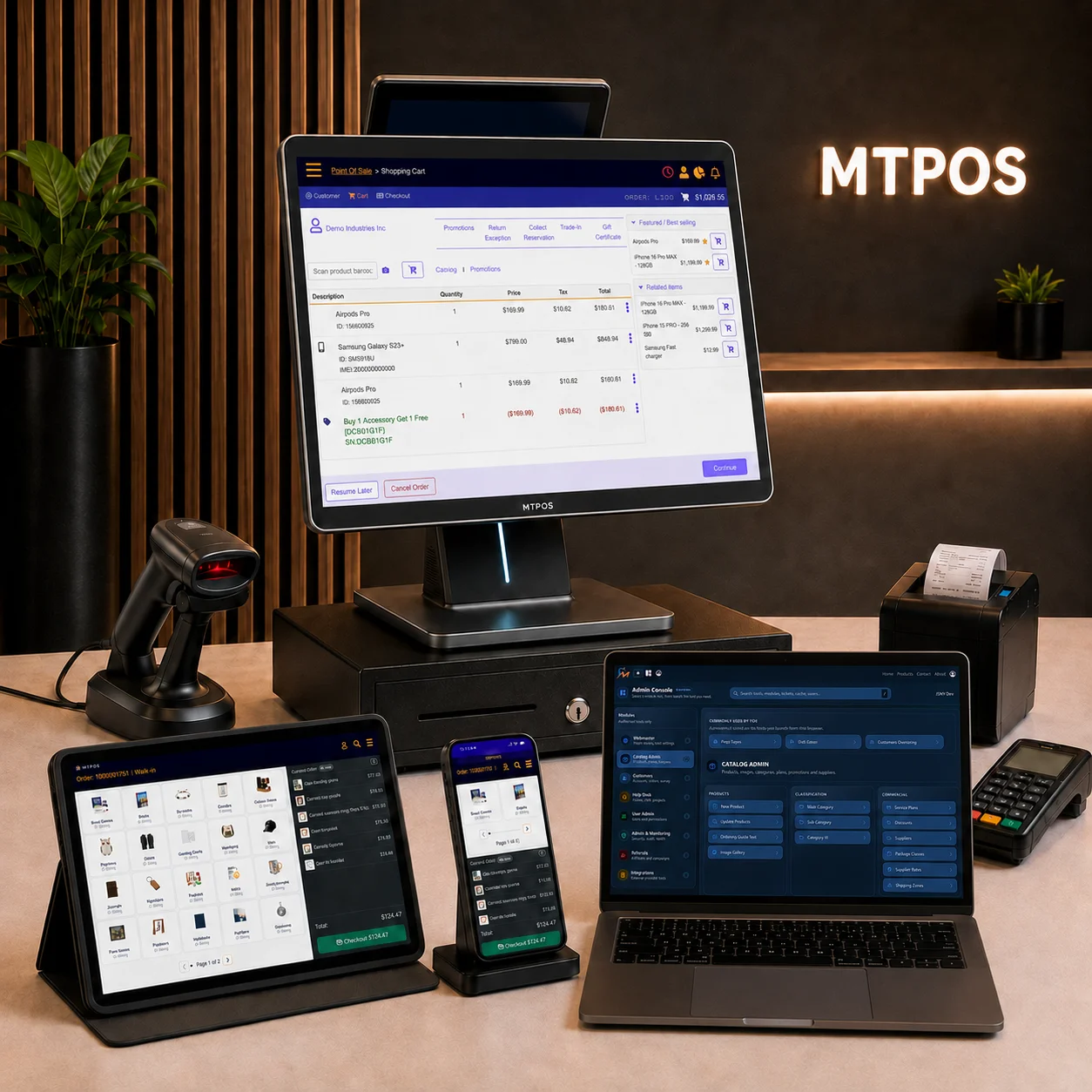
Mobile POS extends selected point of sale tasks beyond a fixed checkout counter. Employees can use supported phones or tablets for customer assistance, transactions, inventory work and management tasks according to their role and configuration.
The right mobile setup depends on what staff need to do, where they will work, which peripherals are required and what should happen when connectivity or a device is unavailable.
Assist Customers
Look up products, availability and customer information
Sell Beyond the Counter
Complete supported transactions where the work occurs
Work With Inventory
Receive, count, transfer and review stock
Manage From the Floor
Review activity and complete authorized actions
Mobility Is About the Workflow, Not Only the Device
A mobile POS, often called mPOS, is a point of sale workflow performed on a portable supported device. It may be used for checkout, assisted selling, inventory work, approvals or management access.
A mobile payment terminal is only one possible component. It captures an enabled electronic payment, while the POS application manages the order and the related business records.
Portable POS Application
The employee uses a supported phone or tablet to access the functions permitted for that device, role, store and edition.
Mobile Payment Terminal
A separate or connected device accepts supported card and contactless payments. Its availability depends on the processor, country and configuration.
Cloud Access
Authorized users can access supported functions through connected devices without maintaining a complete server at every work location.
Hybrid Store Setup
Fixed registers and mobile devices can serve different tasks in the same operation instead of forcing every employee into one device model.
Put the Device Where the Work Already Happens
Mobility is most useful when it removes an unnecessary trip to a counter or back-office computer.
Product and Availability Lookup
Staff can search the catalog, review item information and check available stock while staying with the customer on the sales floor.
Assisted Checkout and Line Support
Authorized employees can build orders and complete supported payment workflows away from a fixed register when the store layout and equipment permit it.
Receiving, Counts and Stock Movement
Stock employees can perform supported inventory tasks near shelves, deliveries and storage locations instead of recording the work later.
Approvals and Operational Review
Managers can review permitted reports, alerts and transactions and complete authorized actions without remaining at one workstation.
Pop-Ups, Events and Mobile Services
A portable setup can support approved selling workflows where a permanent checkout counter is unnecessary or unavailable.
Access Across Authorized Stores
Approved users can access the locations and functions assigned to them while the organization retains role and store-level control.
Capability availability depends on the selected MTPOS edition, device, permissions, payment configuration and deployment.
Fixed, Mobile or Hybrid POS?
The best choice depends on transaction volume, peripherals, cash handling, employee movement and the tasks performed at each location.
| Setup | Best suited to | Important considerations |
|---|---|---|
| Fixed POS | High-volume counters, cash handling and permanent peripheral connections | Counter space, cabling, employee ergonomics and register procedures |
| Mobile POS | Assisted selling, inventory work, events and transactions away from a counter | Battery, network coverage, device protection, payment equipment and receipt options |
| Hybrid POS | Stores that need stable checkout stations plus mobile customer and inventory workflows | Shared product data, role permissions, device assignment and consistent procedures |
| Self-Service POS | Customer-led checkout where product mix, store layout and staffing support it | Supervision, scanning, payment, exception handling and loss-prevention procedures |
Give Each Employee the Functions Needed for the Task
A mobile rollout should begin with roles and responsibilities, not with a device purchase. Decide who needs mobile access, which functions are permitted and which actions still require a manager or fixed workstation.
This reduces unnecessary access and helps the business choose the right number, size and type of devices.
Sales Associate
Product search, stock lookup, customer assistance, order building and approved selling tasks.
Stock Employee
Receiving, cycle counts, item lookup, transfers and other authorized inventory work.
Store Manager
Operational reports, alerts, approvals, employee activity and exception review.
Mobile Business Operator
Portable catalog, customer, order and supported payment workflows at approved work locations.
The Tablet or Phone Is Only One Part of Mobile POS
Confirm every device and peripheral needed to complete the workflow before purchasing hardware.
Device and Operating System
Check supported models, screen size, browser or application requirements, operating-system versions and device ownership policies.
Barcode Scanning
Decide whether staff will use a connected scanner, a supported built-in camera workflow or a dedicated rugged scanning device.
Payment Terminal
Confirm processor, terminal model, connection method, portability, charging and supported payment types for the country of use.
Receipts and Cash
Determine whether the workflow needs email receipts, a network printer, a portable printer, a cash drawer or a return to a fixed register.
Protection and Charging
Plan cases, stands, straps, charging points, spare devices and battery procedures for the physical work environment.
Shared-Device Security
Define login, locking, permissions, lost-device response, approved networks and any mobile-device management requirements.
Use One Retail Platform Across Fixed and Mobile Work
MTPOS supports point of sale access across supported Windows, Android, iPhone, iPad and browser-based devices. Businesses can use mobile access for applicable sales, inventory, customer, employee, reporting and management workflows.
The available functions depend on the selected edition, country, role, device, payment provider and deployment. Confirm required capabilities during guided setup and testing.
Test these workflows first
- Sign in with the intended employee role.
- Find a representative product and check availability.
- Build and complete a supported transaction.
- Scan, receive or count an inventory item.
- Review a report or alert from the mobile device.
- Repeat one task after changing network conditions.
Mobile POS FAQ
Is mobile POS the same as a mobile payment terminal?
Can a tablet or phone replace every fixed POS register?
Can mobile POS work when the internet is unavailable?
Does mobile POS require an iPad?
Evaluate MTPOS With the Devices and Tasks You Plan to Use
Start with one employee role, one mobile sales workflow, one inventory task and the payment and connectivity conditions expected in production.