Computer Store POS Software for Hardware, Accessories and Serialized Inventory
MTPOS helps computer retailers sell high-value systems, components, peripherals and services while connecting catalog management, serialized inventory, purchasing, secure payments and multi-store operations in one cloud platform.
Managing products, components and customer needs
Technical details shape the sale
Organize products by processor, memory, storage, graphics, screen size, operating system, form factor and other useful attributes.
One basket may mix many inventory types
Sell serialized computers and hardware together with non-serialized cables, adapters, peripherals and services.
The right add-ons complete the solution
Connect primary devices with related accessories, warranties, service agreements, promotions and configured bundles.
Trusted by Enterprises Worldwide
Retail infrastructure for independent computer stores, specialists and multi-location technology retailers
MTPOS is more than a checkout application. It brings together secure payments, product information, inventory movement, purchasing, customer programs and management visibility in one cloud retail platform.
Help employees compare complex products without reducing them to generic SKUs
Computer retail depends on clear product information. MTPOS helps stores structure systems, components, peripherals, software and services so staff can narrow choices and build a complete customer solution.
Technical Attributes
Configure product features and custom attributes for CPU, memory, storage, graphics, display, ports, form factor, operating system and other relevant specifications.
Structured Categories
Organize desktops, laptops, monitors, components, peripherals, networking products, digital goods and services.
Related Products
Connect computers with relevant monitors, docks, keyboards, mice, cables, storage, protection and other complementary products.
Services and Agreements
Add configured service plans, warranties, contracts and digital services alongside eligible products.
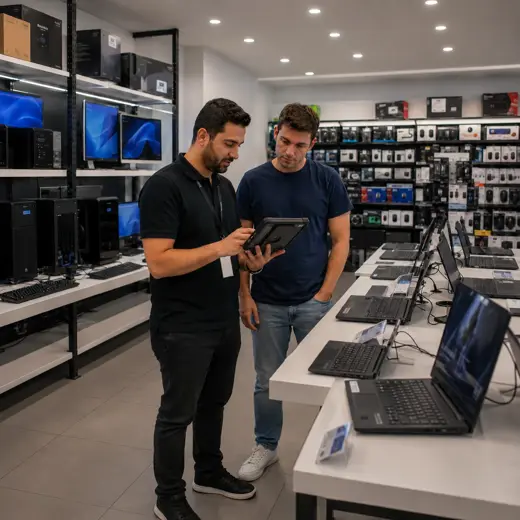
From technical requirements to a complete, trackable sale
MTPOS connects assisted selling, availability, related products, item-level allocation and secure payment in one structured workflow.
Understand the Need
Identify the intended use, required specifications, budget and preferred product type before narrowing the catalog.
Compare Suitable Products
Review relevant systems and hardware using structured categories, product features and custom attributes.
Confirm Availability
Check local stock and determine whether the selected item is available at another store or warehouse.
Complete the Solution
Add related accessories, service agreements, warranties, digital services, promotions or configured bundles.
Allocate and Complete
Allocate the exact serialized unit when required, process payment and keep the transaction connected to reporting.
Track high-value hardware by exact unit while managing everyday accessories efficiently
MTPOS supports serialized and non-serialized inventory in the same operation. Computer stores can allocate exact units for eligible hardware while managing fast-moving cables, adapters, peripherals and supplies as standard stock.
MTPOS brings the management tools to where the work happens, instead of forcing the work to come back to a fixed station.
- ✓ Track serialized and non-serialized products
- ✓ Allocate serial numbers to the correct transaction
- ✓ Create purchase orders and receive inventory
- ✓ Use minimum and maximum levels for replenishment
- ✓ Transfer stock between stores and warehouses
- ✓ Perform cycle counts and inventory audits
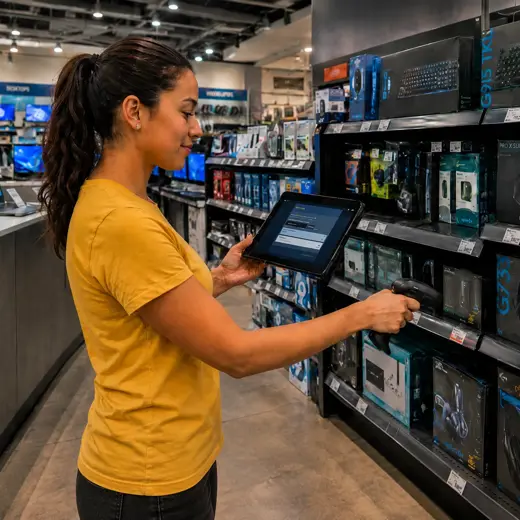
Surface useful add-ons while the main product decision is still being made
The MTPOS AI engine is designed to recognize relevant products during order creation, helping employees identify natural cross-selling and upselling opportunities.
The goal is not to replace technical advice. It is to make suitable accessories, services and offers easier to find during the sale.
Related Accessories
Present docks, displays, keyboards, mice, storage, cables and other products related to the selected hardware.
Featured Products
Highlight new arrivals, seasonal priorities and products that the store wants staff to actively present.
Best Sellers
Give employees fast access to popular systems, peripherals and accessories during product comparison.
Bundles and Services
Offer promotions, bundles, service plans, warranties and contracts according to product configuration.
Support considered purchases, future upgrades and repeat business
Computer purchases often involve comparison, delayed decisions, additional services and follow-up needs. MTPOS keeps those activities connected to the broader customer relationship.
Reservations
Hold selected or incoming products for customers when the store workflow and selected plan support reservations.
Trade-Ins
Support configured trade-in activity when customers replace eligible devices or hardware.
Customer Programs
Use rewards, store credit, pay-on-account and gift cards to support repeat purchasing and account-based selling.
Returns and Exchanges
Keep inventory and payment activity connected when an eligible product is returned or exchanged.
Available capabilities depend on the selected MTPOS plan and store configuration.
Bring product, inventory and transaction tools beyond the fixed counter
Employees can use supported tablets, mobile devices, PCs or Macs at the counter, on the sales floor, in receiving or near the inventory being checked.
- Assist customers while comparing products away from checkout
- Check product and stock information closer to the merchandise
- Support receiving, counting and transfers in the stock area
- Process in-store transactions or supported sales while on the road
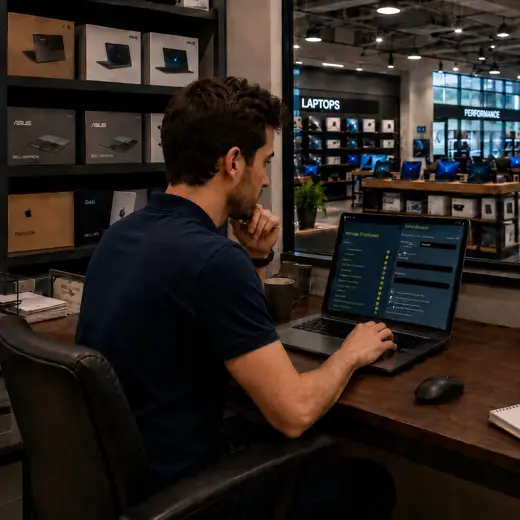
Complete complex purchases with a professional checkout experience
MTPOS integrates with supported card payment terminals and connects payment activity to the wider retail workflow.
Card and Contactless Payments
Accept supported credit cards, debit cards, EMV, tap, swipe and contactless mobile payments.
PCI-Compliant Processing
Use PCI-compliant payment processing with end-to-end encryption through supported integrations.
Flexible Payment Methods
Support cash, cards, wire, PayPal, Stripe, checks and other configured payment methods.
Refund Method Controls
Define which refund methods may be used according to the original payment method.
Payment capabilities depend on the selected integrations, plan and configuration.
One platform for checkout and the business behind it
Point of Sale
Process mixed baskets of hardware, accessories, digital goods and services from one retail workflow.
Serialized Inventory
Track eligible high-value products by serial number and allocate the exact unit to a transaction.
Non-Serialized Inventory
Manage cables, adapters, peripherals, supplies and other everyday merchandise efficiently.
Purchase Orders
Support purchasing, receiving and replenishment workflows for systems, components and accessories.
Advanced Promotions
Create configured offers, bundles and promotions around products, services and related items.
Employee Sales Commission
Support commission workflows for stores that reward performance and complete-solution selling.
Multiple Stores and Transfers
Coordinate stock movement and operational visibility across stores and warehouses.
eCommerce and Online Store
Extend selected products online while keeping store operations connected to the MTPOS platform.
Store Cash Management
Manage configured registers, safes, bank deposits, change orders and daily cash activity.
Data Import
Accelerate catalog and operational onboarding through supported data-import capabilities.
Business Expenses
Record and manage configured store expenses within the broader operational environment.
Selective Self-Checkout
Use self-checkout where suitable for simple accessory purchases, while keeping complex hardware sales assisted.
Available capabilities depend on the selected MTPOS plan, integrations and store configuration.
Expand computer retail operations without losing control of products, stock or customers
Start with one location and expand to more users, registers and stores while maintaining centralized catalog, inventory, payment and customer control.
For larger rollouts, custom requirements or private-cloud deployment, MicroTelecom also provides an enterprise path.
Choose the Right MTPOS Edition
Match your operation with the required level of serialized inventory, promotions, registers, customer programs, online selling and multi-store control.
Questions Computer Retailers Ask Before Choosing a POS
Connect technical selling with the retail operation behind it
Use MTPOS to manage products, serialized inventory, purchasing, payments, customer service and store growth from one cloud platform.