MTPOS Point of Sale Software for Complete Retail Operations
Manage checkout, payments, inventory, customers, purchasing, online orders, employees, reporting, and multiple locations from one connected retail platform.
- Windows and mobile devices together
- Inventory included
- One store to multi-location
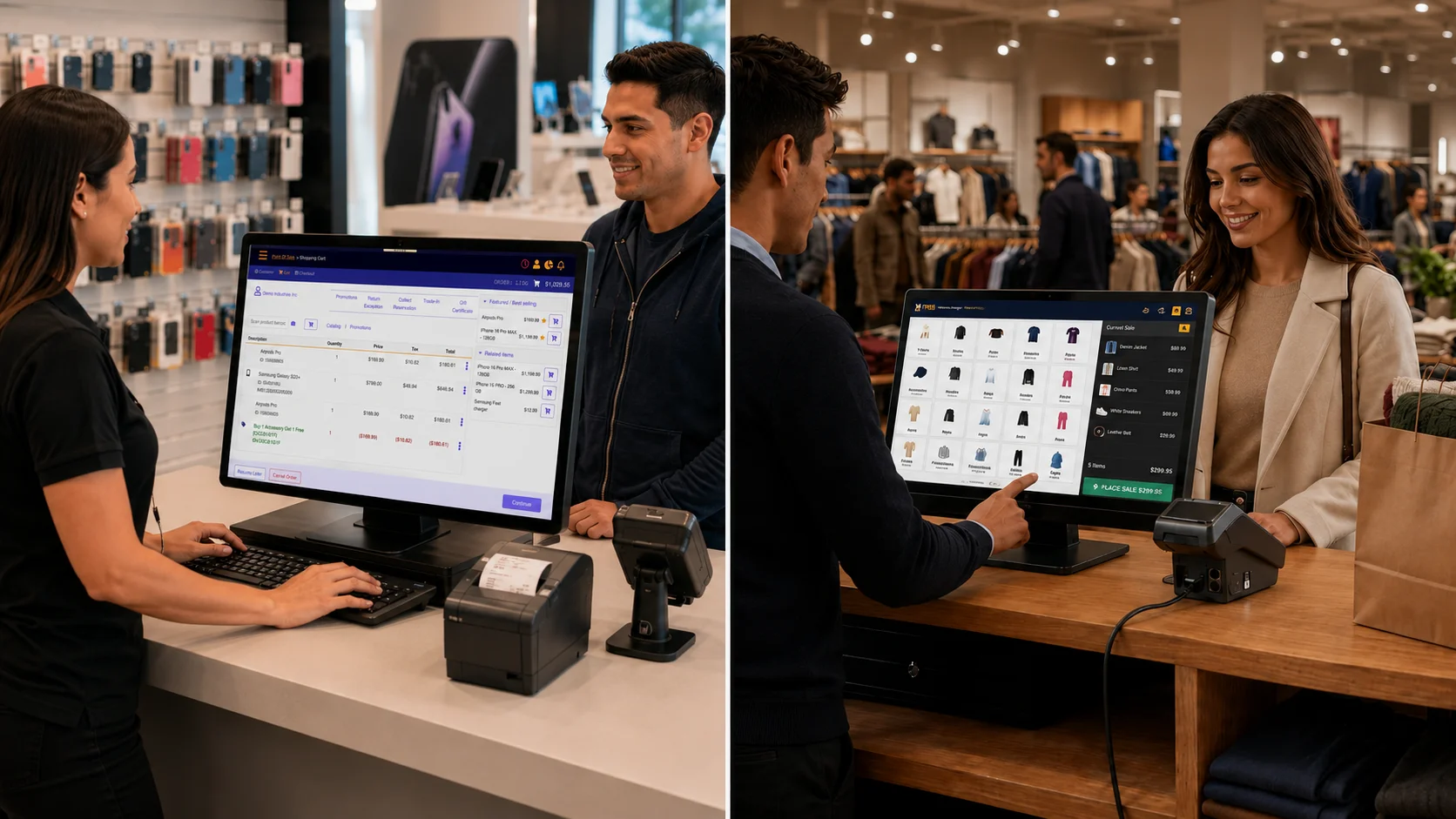
A Point of Sale Platform for Real Store Operations
MTPOS goes beyond a payment screen. It connects checkout with inventory, customers, purchasing, employees, online orders, reporting, and the operational exceptions that happen every day.
Choose the Right Checkout Style
Use quick-sale, barcode-driven, mobile, cashier-assisted, or supported self-checkout workflows.
Operate Inventory, Not Just Quantities
Manage purchasing, transfers, cycle counts, serialized products, item locations, and replenishment.
Use Mobile Devices for Real Work
Complete sales, inventory scans, counts, approvals, and store monitoring from supported phones and tablets.
Grow Without Replacing the Platform
Start with one register and add stores, users, ecommerce, advanced workflows, and enterprise services as needed.
See How the Main MTPOS Workflows Fit Together
Move between checkout, inventory, mobile operations, and online fulfillment while using the same product, customer, user, and store data.

Checkout That Handles More Than a Basic Sale
Process sales, returns, exchanges, discounts, customer payments, store credit, account billing, and fulfillment from a responsive retail interface.
- Quick-sale and barcode-driven checkout
- Customer and order history at the register
- Returns, exchanges, refunds, and store credit
- Role-based payment and refund controls
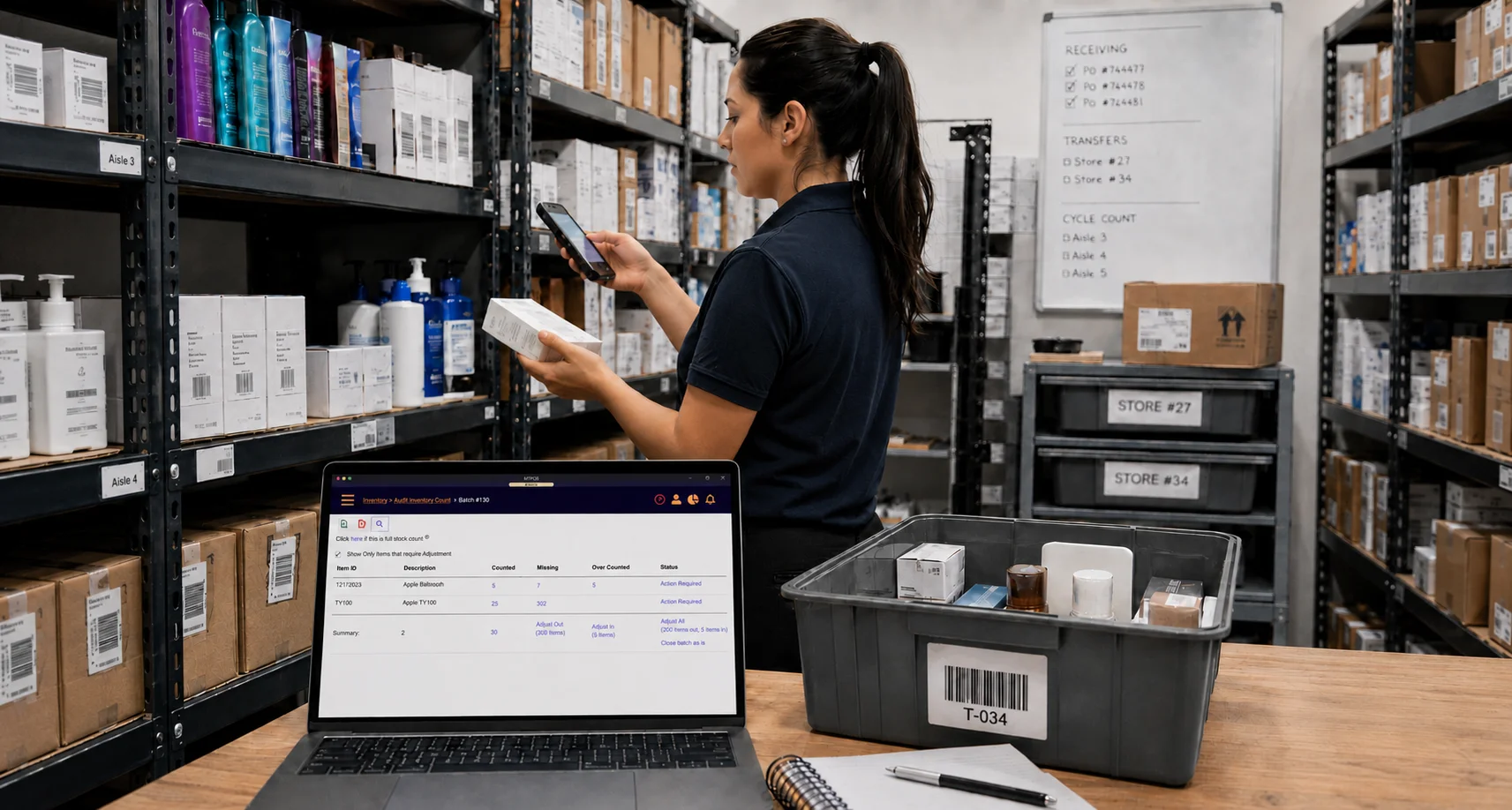
Inventory Visibility and Execution
Track what is available, where it is stored, how it moves, and what needs to be ordered next.
- Purchase orders and receiving
- Store and warehouse transfers
- Partial cycle counts
- Serialized products and item location
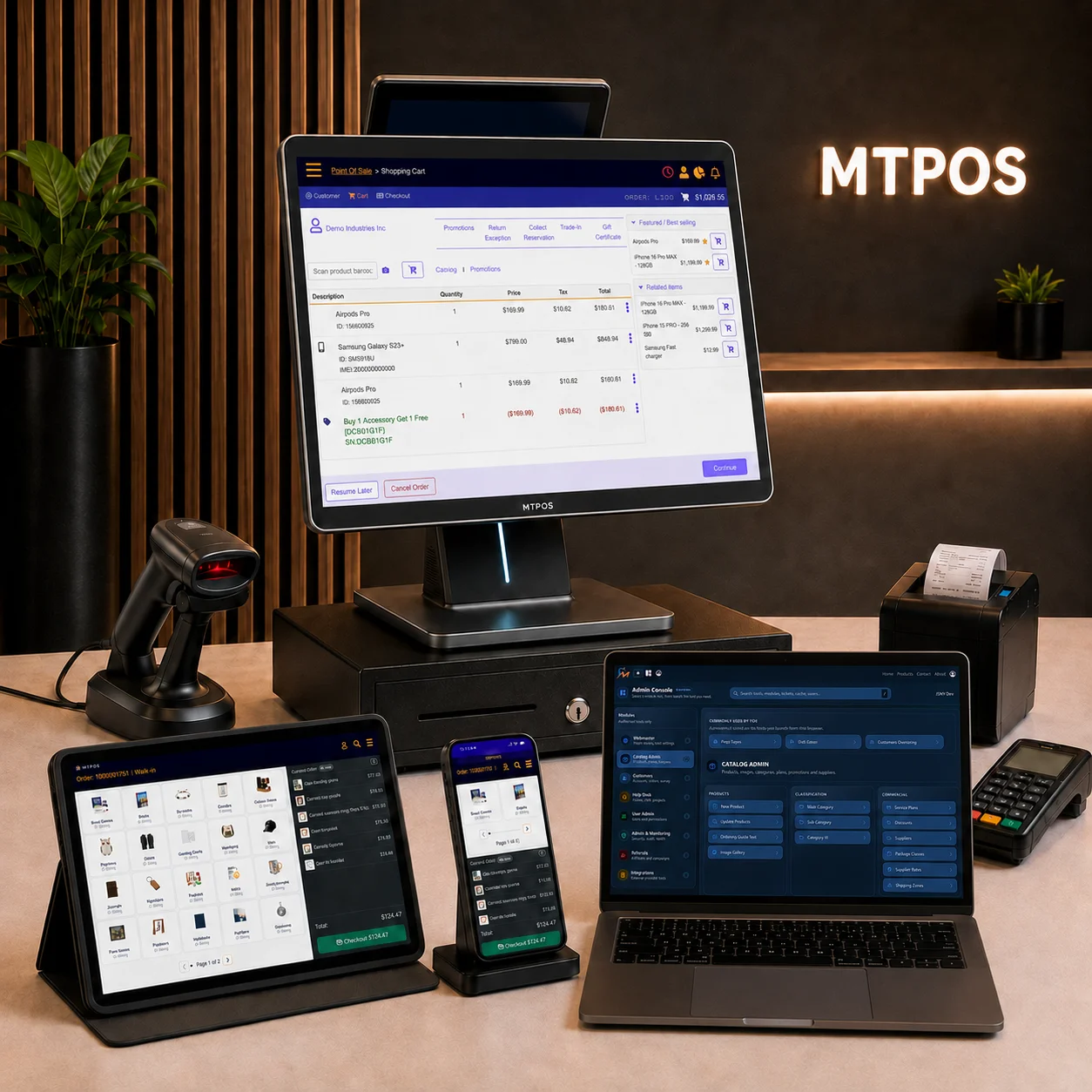
Use the Device That Fits the Task
Combine supported Windows terminals, browsers, Android devices, iPhones, and iPads under one platform.
- Mobile checkout and on-site payment
- Inventory scanning and cycle counts
- Manager approvals and store monitoring
- Mixed-device operations by role or location
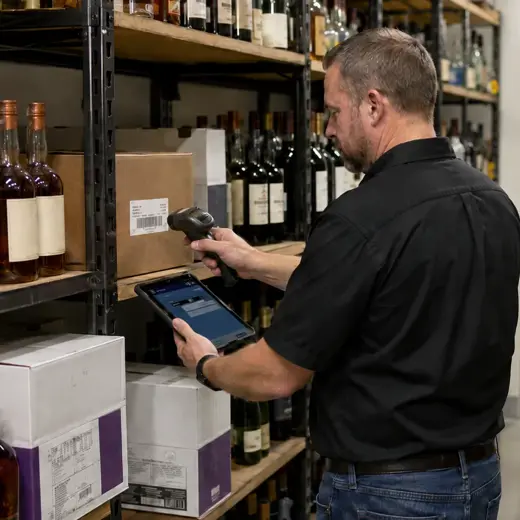
Connected Online and In-Store Orders
Manage online orders, pickup, fulfillment, reservations, backorders, and connected returns with shared inventory.
- Online order processing
- Pickup and fulfillment workflows
- Shared customer and inventory data
- Connected returns and account billing
Keep the Register Fast Without Losing Operational Control
Give cashiers a straightforward checkout while preserving the rules, permissions, customer information, inventory updates, and payment controls required by the business.
Learn More About Payment TerminalsSales, Returns, and Exchanges
Complete common retail transactions from one consistent workflow.
Flexible Tender Options
Support configured cash, card, account, store-credit, and split-payment workflows.
Register Permissions
Control discounts, refunds, voids, payment methods, and manager approvals by role.
Cash and Register Control
Support register opening, drawer access, cash activity, and end-of-shift review.
Receipts and Transaction Records
Print or provide supported receipt options with transaction and customer details.
Connected Order History
Find earlier store and online activity for returns, service, and customer support.
Available payment integrations and terminal options vary by country, processor, and deployment.
Know What Needs Attention. Then Take Action.
MTPOS Inventory Manager turns inventory activity into a clear, prioritized action plan. Instead of relying on managers to search reports and discover problems, the system identifies the areas that need attention and brings them forward.
Replenishment needs, purchase orders waiting to be received or closed, transfer activity, approvals, cycle counts and other inventory conditions are organized into actionable work—helping managers quickly see what is critical, what requires follow-up and what is already under control.
From Attention to Action
MTPOS connects each action item directly to the inventory workflow needed to resolve it, helping teams spend less time searching for problems and more time getting the right inventory to the right place.
Purchasing & Receiving
Manage purchase orders from creation through approval, receipt and close. Keep managers aware of orders waiting for action and receive inventory directly into the correct store or warehouse location.
Transfers & Replenishment
Identify replenishment requirements, move inventory between locations and follow transfers from request through shipment and receipt so stock gets where it is needed.
Cycle Counts & Inventory Auditing
Schedule and perform targeted cycle counts without disrupting normal store operations. Resolve discrepancies and maintain confidence in inventory accuracy throughout the year.
Serialized Inventory Control
Track individually serialized products throughout their lifecycle, providing precise visibility into the identity, status and movement of high-value inventory.
Location-Level Visibility
Know not only how much inventory is available, but where it is located. Track merchandise by store, warehouse, stockroom, shelf or bin.
Multi-Store Inventory Control
Monitor availability, movement and inventory exceptions across stores and warehouses from one connected system.

Keep Customer History, Credit, Loyalty, and Billing Connected
Give store teams the information needed to serve customers across purchases, returns, ecommerce, account billing, loyalty, store credit, and B2B activity.
Customer Profiles
Maintain customer details and transaction history across supported channels.
Store Credit
Issue and redeem store credit from returns, exchanges, and approved adjustments.
Loyalty and Promotions
Configure loyalty points, bundles, and promotional rules around business needs.
Account Billing
Support pay-on-account, terms billing, customer balances, and online bill payment.
Give Each Employee the Access Required for the Job
Configure user access, register permissions, approvals, sales attribution, and commissions without exposing every function to every employee.
Roles and Permissions
Limit access by employee responsibilities, store, register, and approved operations.
Manager Approvals
Require approval for configured discounts, refunds, voids, and sensitive actions.
Sales Attribution
Associate sales activity with employees, stores, and supported commission rules.
Operational History
Review configured user and transaction activity when resolving store questions.
Connect Online and In-Store Sales, or Fulfill Ecommerce Independently
Use MicroTelecom Ecommerce with MTPOS for shared inventory, customer records, pickup, fulfillment, and returns, or operate it independently with your own fulfillment process. Orders can be fulfilled from a store or warehouse, handled by an external provider, or routed directly to a supplier for drop shipment.
Online Order Management
Receive and manage ecommerce orders, reservations, preorders, and backordered items from one platform.
Connected or Independent
Use Ecommerce with MTPOS, or manage inventory, warehousing, and fulfillment through your own operation.
Connected Retail Inventory
When connected to MTPOS, online availability and order allocation can use inventory from stores and warehouses.
Pickup and Fulfillment
Prepare orders for store pickup, customer collection, local delivery, or shipment from an appropriate location.
Vendor Drop Shipping
Route eligible orders to a supplier for direct shipment to the customer without receiving the product first.
Connected Returns
Access the original order history and support return and RMA workflows for online and in-store purchases.
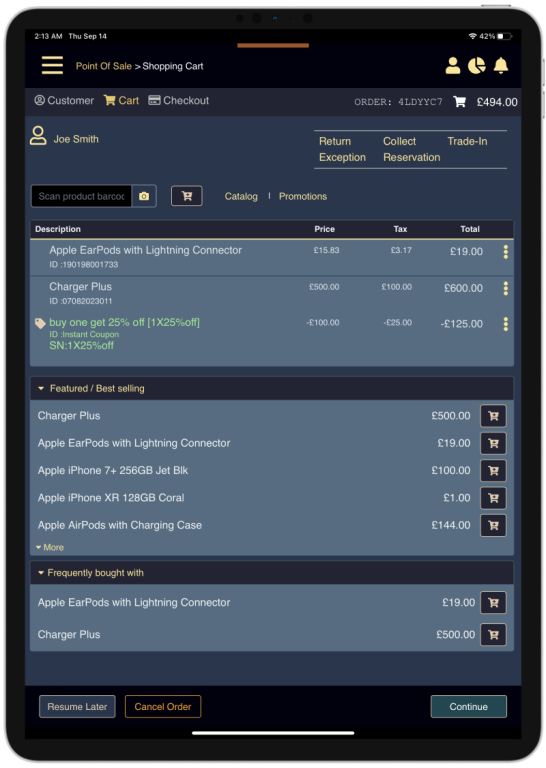
Understand What Is Happening Across Sales, Inventory, and Stores
Review operational performance from the same platform that records sales, payments, stock movement, customer activity, employee activity, and location-level results.
Report availability depends on the selected MTPOS configuration and deployment.
Sales Performance
Review sales by product, category, store, register, employee, and period.
Inventory Movement
Follow stock levels, purchasing, transfers, counts, and item movement.
Payment and Register Review
Review configured tender, refund, register, and cashier activity.
Location Comparison
Compare store activity and identify operational differences across locations.
Customer and Employee Activity
Review supported customer, salesperson, and commission-related information.
Access Away From the Store
Give authorized owners and managers visibility from supported devices.
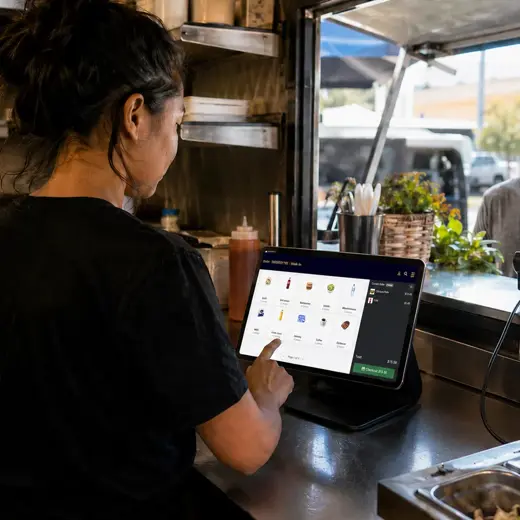
Match Store Hardware to Each Retail Workflow
Use supported Windows terminals, browsers, Android devices, iPhones, and iPads together, then connect the peripherals required by each store workflow.
Simpler Receipt Printing
Supported browser and tablet workflows can reduce dependence on complex per-device drivers, Bluetooth pairing, certificates, and workstation-specific printer setup.
Confirm compatibility for specific terminals, printers, scanners, drawers, scales, and payment devices before deployment.
Support the Exceptions That Basic POS Systems Often Leave Out
Configure specialized workflows for weighted products, serialized inventory, self-checkout, account customers, loyalty, commissions, services, contracts, warranties, rentals, and more.
Use quick-sale layouts for frequently used or non-barcoded items, barcode-driven checkout for scan-heavy retail, mobile POS for field or on-site sales, and supported cashier or self-checkout modes.
- Quick-sale and barcode-driven interfaces
- Mobile and field checkout
- Cashier and supported self-checkout modes
- Shared register options where configured
Sell weighted goods using supported kg and lb workflows, scales, and weight-station barcode labels that can be scanned later at checkout.
- Items sold by weight
- Scale-assisted checkout
- Weight-station label printing
- Useful for supermarkets and specialty food retail
Support business customers and account-based selling with configured terms, balances, bill visibility, online payment, store credit, and customer-specific transaction history.
- Pay on account and pay on terms
- Customer balances and online bill payment
- Store credit from approved returns and adjustments
- B2B purchasing, returns, and billing workflows
Configure promotions and rewards around store rules without forcing every program through a separate loyalty provider.
- Custom loyalty point programs
- Multi-item and buy-one-get-one promotions
- Product bundles with combined pricing
- Employee and store or franchise commissions
Combine physical products with services, protection plans, contract-based sales, warranties, insurance-related options, rental, leasing, and loaner-equipment workflows.
- Products and services on the same transaction
- Contract-based and customer-specific terms
- Warranty and protection-plan options
- Rental, lease, loan, and service inventory movement
Control product, register, category, employee, tax, receipt, and approval behavior according to the selected deployment.
- Attributes, variations, and product options
- Register-level payment and refund rules
- Category and product tax configuration
- Receipt fields and market-specific requirements
One MTPOS Platform, From Independent Stores to Enterprise Retail
Add registers, employees, locations, catalogs, inventory workflows, online sales, centralized controls, and custom services without moving to a different POS platform.
Independent and Growing Retail
Start with the devices and workflows needed today, then add more as operations expand.
Multiple Locations
Manage shared products, users, customers, inventory, and reporting across stores.
Franchise Operations
Distribute corporate catalogs and controls while supporting authorized local management.
Custom Enterprise Deployment
Support integrations, terminal fleets, international rollouts, and complex requirements.
Planning an Enterprise, Franchise, or Custom Deployment?
Work with the MicroTelecom enterprise team on architecture, integration, rollout planning, market requirements, and long-term operational support.
Learn More About Enterprise POSMove From Evaluation to Store Operations With Clear Steps
Begin with a free trial, configure the store around actual workflows, confirm compatible hardware and payment services, and expand the deployment when the team is ready.
Create the Store
Set up products, users, taxes, pricing, payment options, and register rules.
Prepare Devices
Confirm terminals, scanners, printers, drawers, scales, and supported mobile devices.
Test the Workflows
Validate checkout, returns, inventory, customer, employee, and reporting processes.
Launch and Expand
Go live, then add locations, ecommerce, integrations, and advanced operations as needed.
Integrations
Use available connectors, web services, and custom enterprise integration work for payment, ecommerce, accounting, supplier, shipping, tax, reporting, and external business systems. Exact availability depends on market and deployment.
Security and Operational Control
Apply configured roles, permissions, approvals, store access, register controls, and operational history to protect sensitive retail functions.
Support and Deployment Services
Select the support, implementation, training, integration, and rollout assistance appropriate for a self-managed store, growing retailer, franchise, or enterprise program.
Configure MTPOS Around the Industry and Store Workflow
Industry-specific landing pages may focus on one type of business. This product page shows the shared MTPOS platform behind those solutions.
Trusted in Retail, Telecom, Franchise, and Enterprise Environments
MTPOS has been used in projects that require reliable retail operations, broad functionality, mobile workflows, centralized control, and long-term solution flexibility.





“Great technical solution and great vendor to work with”
“MicroTelecom served as our partner in a significant business transformation project, contributing their Point-of-Sale system to a network of company stores for a leading US mobile provider. Their technical solution for POS stands out with its extensive functionality, reliability, and robustness. The engineers and architects at MicroTelecom are highly skilled professionals, possessing expertise in both the business and technical domains. They work at a rapid pace and exhibit flexibility in adapting the system to meet evolving customer needs.”
Start With the MTPOS Configuration That Fits Your Operation
Begin with a practical store setup, then add locations, devices, ecommerce, integrations, or enterprise services as requirements grow.
One Store or a Small Retail Team
Start with checkout, products, inventory, customers, users, and the devices needed for daily store operations.
- Retail checkout and payments
- Inventory and customer management
- Windows and supported mobile devices
- Room to add more capabilities later
More Registers, Locations, or Online Sales
Add centralized catalogs, purchasing, transfers, employee controls, reporting, ecommerce, and fulfillment.
- Multi-register and multi-location operations
- Purchasing, transfers, and cycle counts
- Online orders and fulfillment
- Advanced retail workflows
Custom Integration or Large-Scale Deployment
Plan complex catalog control, terminal fleets, custom integrations, regional requirements, and phased rollouts.
- Franchise and corporate catalog control
- Custom integrations and workflows
- International and Tier 1 deployments
- Implementation and long-term support
Questions Retailers Ask Before Choosing a POS
Review the main device, deployment, inventory, ecommerce, and implementation considerations before starting.
Ask About Your Store RequirementsSee How MTPOS Fits Your Checkout, Inventory, and Growth Plans
Begin with a free trial, compare the available MTPOS options, or speak with MicroTelecom about a multi-location or enterprise deployment.